EVO Max Device Connection
UAV Hardware Connection
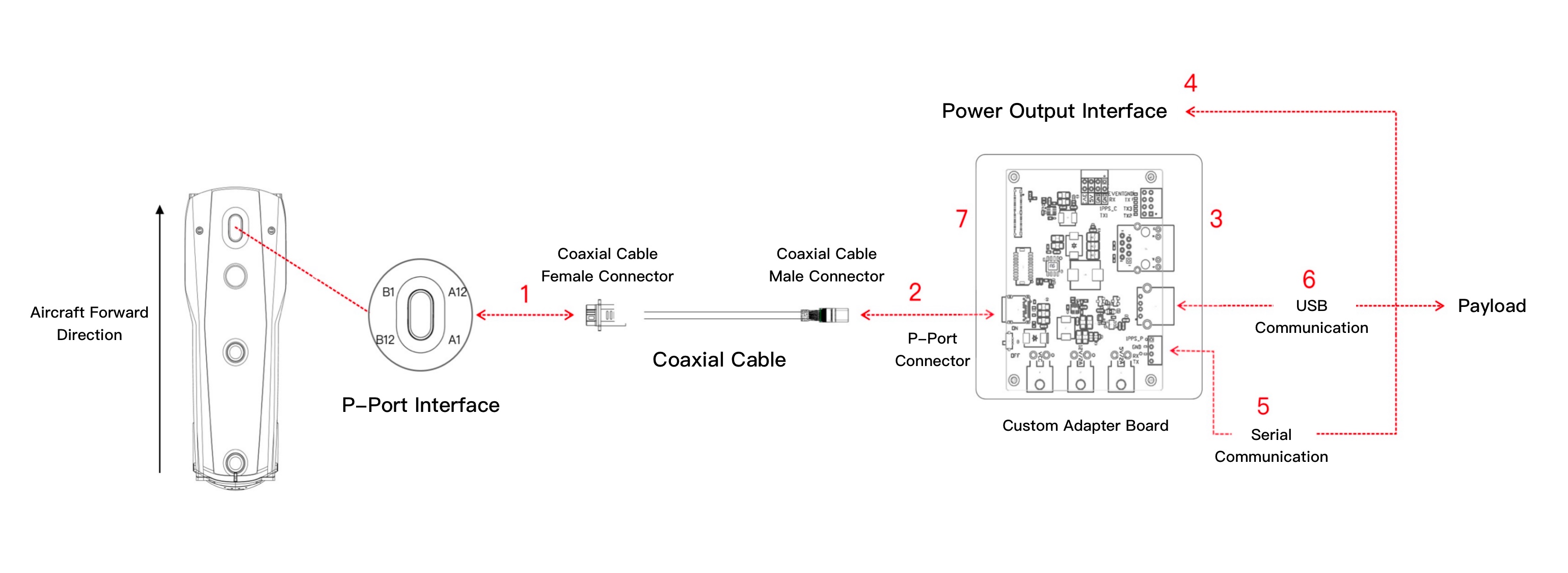
Before starting the device connection for the EVO Max series multi-rotor Aircraft, please read the relevant chapters in the EVO Max series user manual and familiarize yourself with the introduction of aircraft components. The EVO Max series supports connections to load devices via P-Port and P-Port Lite interfaces.
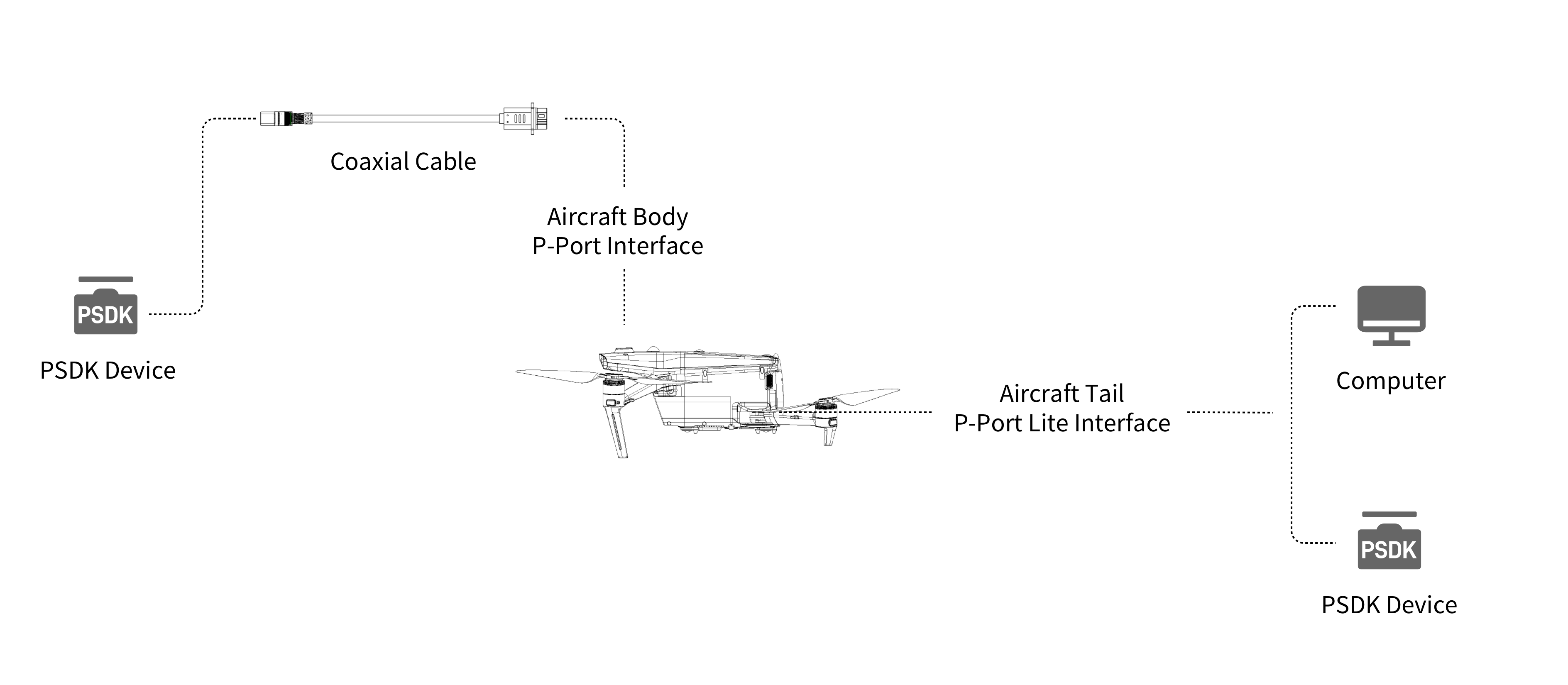
Connecting Devices via P-Port Interface
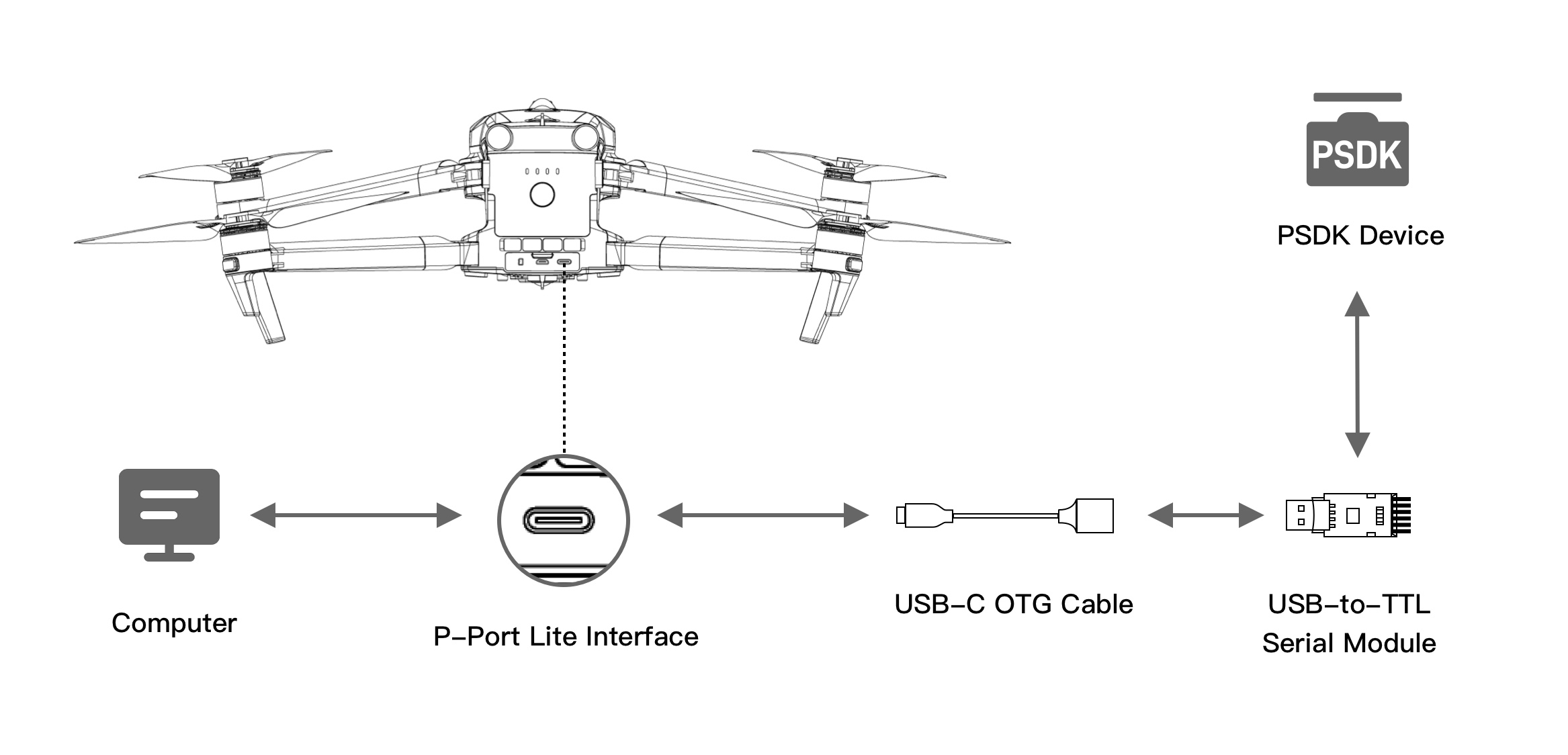
Connecting Devices via P-Port Lite Interface
Directly connect the aircraft to a computer using a USB-C cable for debugging or firmware upgrades*; or connect a UART load device via a USB-C OTG cable and USB to TTL serial module to transmit simple command data.
Note:
- PC-side upgrade and parameter debugging tools will be released later.
Autel Alpha Device Connection
Before connecting Autel Alpha series devices, please refer to the relevant sections of the Autel Alpha User Manual and familiarize yourself with the UAV component overview. The Autel Alpha series supports connections to payload devices via P-Port and C-Port interfaces.
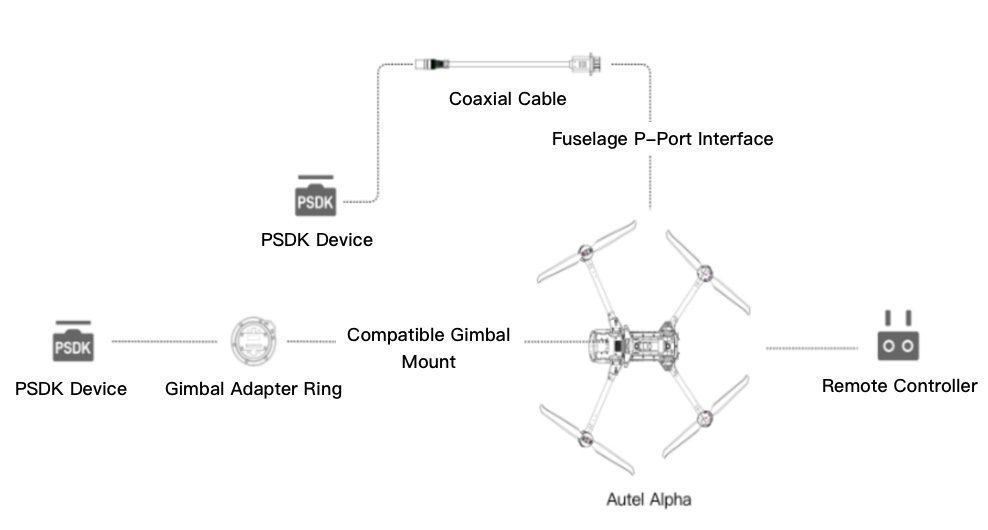
Connection via Gimbal Adapter Ring
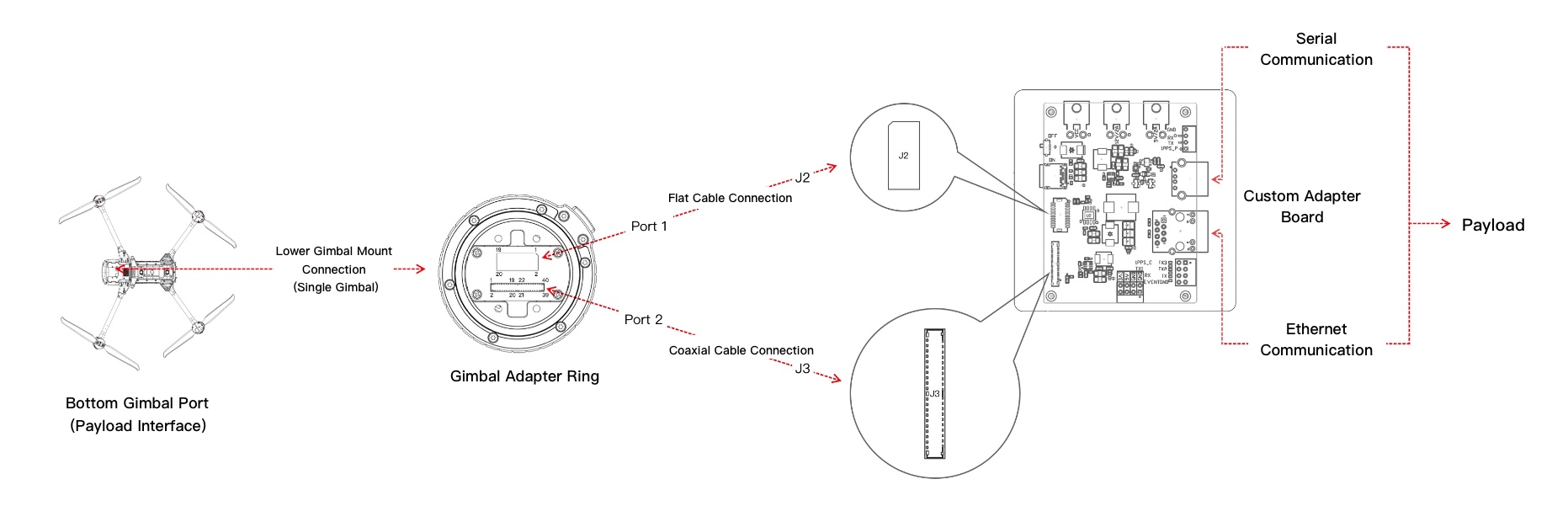
Note:
- Autel currently does not provide a gimbal mount. A custom gimbal mount must be designed according to the actual payload requirements.
Hardware Reference Design
The above hardware connections are mainly based on Autel Robotics' development accessories, which help developers quickly build the hardware environment and start PSDK software development. Once the device development is complete, hardware pins on the aircraft can be directly integrated into the device hardware environment, without the need for Autel Robotics' expansion accessories. To facilitate developers' integration of hardware connections based on interfaces, Autel Robotics can provide reference schematics for all models and interfaces. Developers can refer to these and combine them with their own hardware device designs. For more information, please contact the Autel Robotics SDK development team via email for consultation and access.